Sample screen
Tempo, bars and timing
Make a sample follow the project tempo: Bars, Fit, and the Stretch, Varispeed, Beats and Original timings.
Where: the Playback group, at the top left of the Sample screen, and BPM in the toolbar.
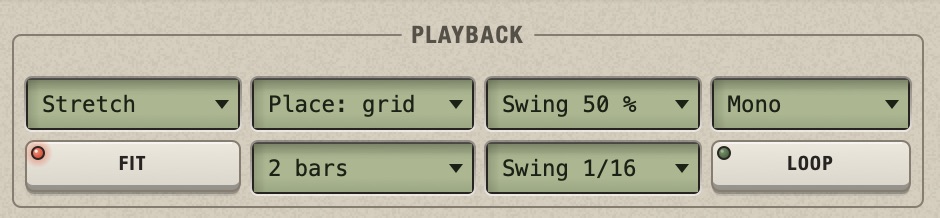
1Timing 2Placement 3Swing amount 4Voices 5Fit 6Bars 7Swing step 8Loop (repeat a slice)
The idea: Chop counts in bars
A program that plays loops in time needs to know one thing about each loop: how long it is in bars. Some programs guess it by analysing the audio. Chop does not guess. It measures the sample's length in seconds, looks at the project's tempo, and works out how many bars that is at this tempo. You then confirm the number, or correct it.
Once Chop knows that a sample is, say, 2 bars long, the rest follows by itself: the sample must fill 2 bars whatever the tempo, so when you change the BPM, Chop makes it faster or slower to keep it at 2 bars. That is all "following the tempo" means.
Three controls express this:
- BPM (toolbar): how long a bar lasts, for the whole project.
- Bars: how many bars this track's pattern lasts, and, after Fit sample to N bars, how many bars its sample is.
- Timing: how the sample is made faster or slower to stay in its bars.
What happens when a sample loads
Chop divides the sample's length by the length of a bar at the current BPM. The result is rarely a whole number, and what Chop does depends on it.
Example
A drum loop is 2 bars long and was recorded at 96 BPM. It lasts 5 seconds.
- Project at 96 BPM: a bar lasts 2.5 seconds, so 5 seconds is exactly 2 bars. Chop takes it as a 2-bar loop. Bars reads
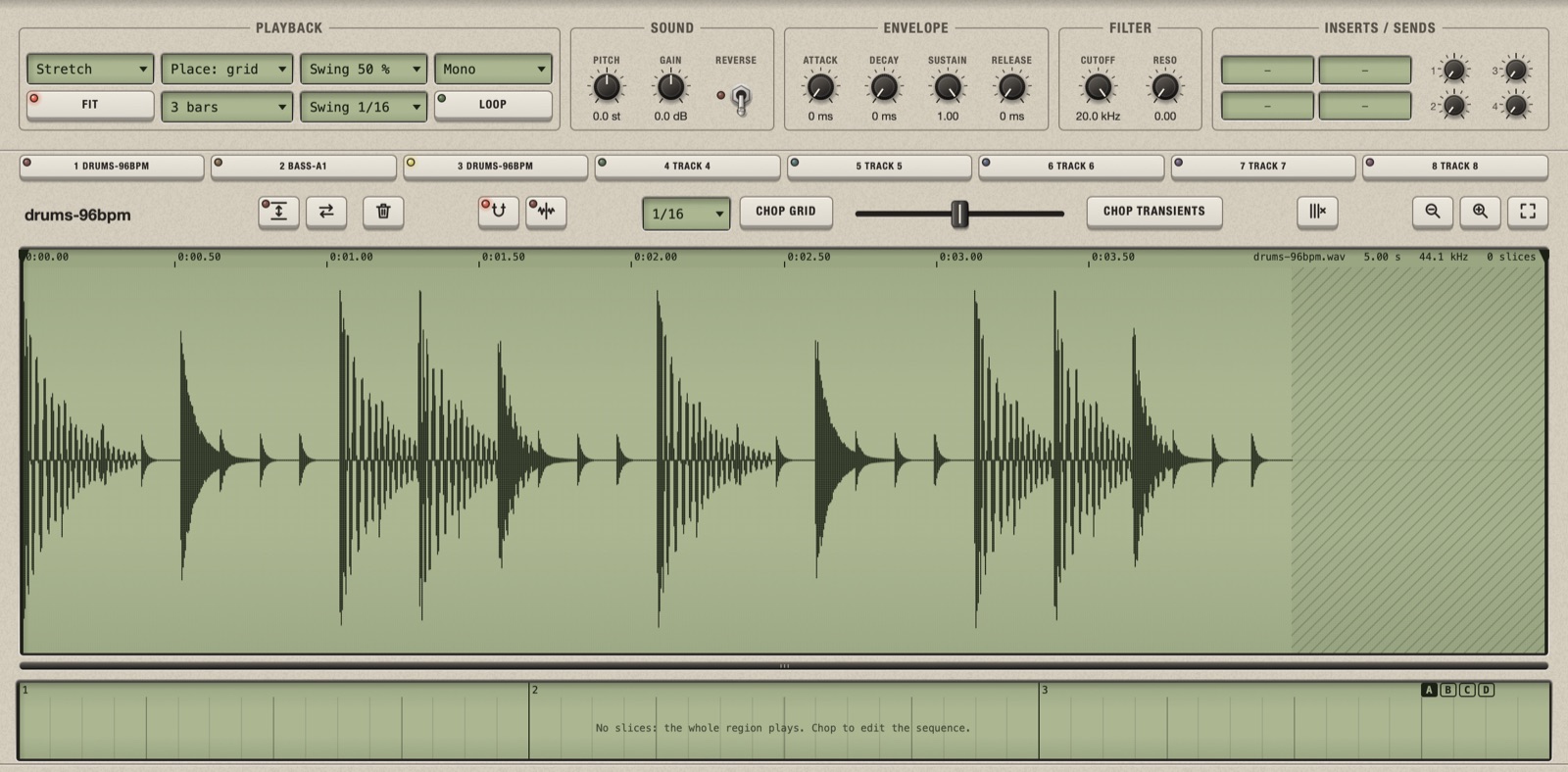
2 bars. Nothing to do. - Project at 120 BPM: a bar lasts 2 seconds, so 5 seconds is 2.5 bars. Chop cannot know that the loop is "really" 2 bars. It plays it at its own speed, 2.5 bars long, and gives the track 3 whole bars to hold it: Bars reads
3 bars, and the last half bar is silent.
The same thing in Chop. The loop loaded in a project at 120 BPM: Bars reads 3 bars and the end of the waveform is hatched, for the silent half bar.
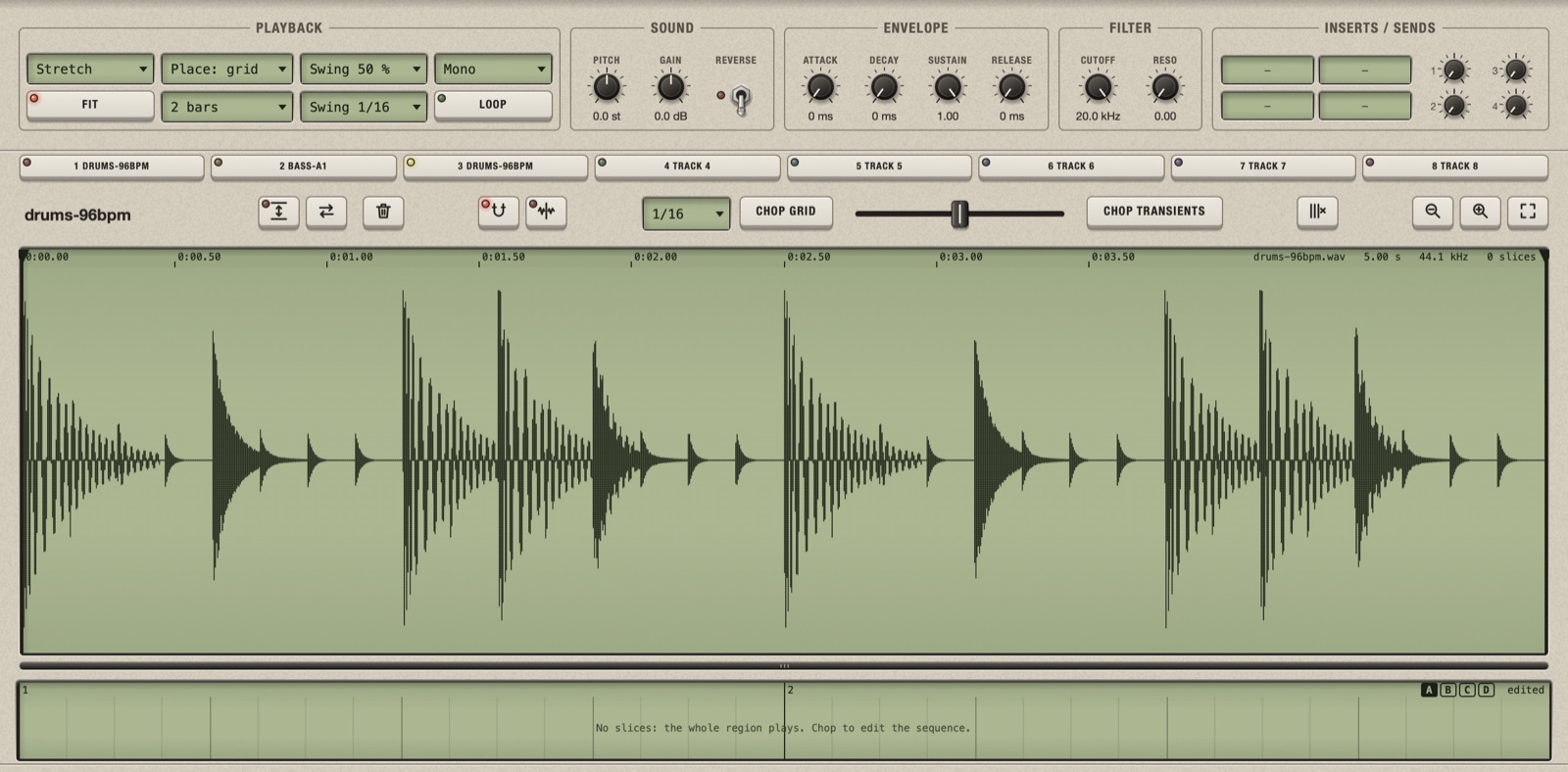
After choosing 2 bars and Fit sample to 2 bars: the loop fills the pattern.
In short:
| The sample lasts | Bars becomes | You hear |
|---|---|---|
| A whole number of bars at this BPM, or within a hair of it | That number | The loop, in time. Nothing to do. |
| Something in between, like 2.5 bars | The next whole number: 3 | The sample at its own speed, then silence to the end of the last bar. Out of time with the project. |
| Less than about one beat | 1 bar, and Fit off | A one-shot, at its original speed. |
So there are two ways to get a loop in time: set the project to the loop's tempo before you load it, or load it at any tempo and tell Chop its length, as in the next section. The second way is the usual one, because you rarely know a loop's exact tempo.
Make a loop exactly N bars long
- Decide how many bars the loop really is. Let it play and count: most loops are 1, 2 or 4 bars.
- Click the Bars box and choose that number, for example 2 bars.
- Click the box again and choose the first item of the menu: Fit sample to 2 bars.
The loop now fills exactly 2 bars, and it will at any tempo. If Bars already showed the right number, only step 3 is needed.
What the two steps do. Step 2 sets the length of the track's pattern. Step 3 tells Chop that the sample is that long too. They are separate because they can differ: a 2-bar loop can sit in a 4-bar pattern, with two empty bars to fill with copies of its slices. The item Fit sample to N bars is in the menu only while the two lengths differ.
If the track already has slices, choosing fewer bars in step 2 removes the blocks that lie past the new end. After fitting, right-click the lane of blocks > Reset to automatic sequence to put every slice back in its place.
Do this before chopping on the grid. Grid cuts are counted in the sample's bars: if Chop thinks the loop is 2.5 bars long, its sixteenths are in the wrong places.
Change the tempo of the project
Drag the BPM box in the toolbar, or double-click it and type. All the tracks with Fit on follow at once, also while playing: each keeps its number of bars, so each is stretched or squeezed by the same proportion. A track with Fit off does not change.
How the sound changes when a track is made faster or slower is the track's Timing.
Choose how the sample follows the tempo
The first menu of the Playback group is the Timing. The four choices answer the same question in different ways: the sample has to last a different time than it did originally; what gives?
Stretch
The length changes and the pitch stays. Chop rebuilds the audio at the new length (time-stretching). This is the default and the right choice for anything with notes: melodies, chords, voices, basses, full breaks with tonal content. Far from the original tempo you start to hear the processing, as a slight smearing of the hits. It works from a quarter of the original speed to four times; beyond that the track plays as Varispeed.
Varispeed
The sample is simply played faster or slower, like a record or a tape: the pitch goes up and down with the speed. Nothing is processed, so hits stay sharp, and you get the character of old samplers, where slowing a break down also made it darker and heavier. Do not use it for a sample that has to stay in tune with other tracks, unless you set the tempo first and tune afterwards.
Beats
The sample is not made faster or slower at all. Instead each slice is moved to its place at the new tempo and played at its own speed, like a REX loop. The hits keep their original sound exactly.
- At a slower tempo the slices are further apart, and there is silence between them.
- At a faster tempo they are closer than they are long: each one is cut by the next (in Mono) or rings over it (in Poly).
Beats works on slices, so chop the loop first, ideally at its transients so that each slice is one hit. It is the best choice for drums near their original tempo. It is a poor choice for sustained sounds, where the gaps are heard.
Original
The sample plays at its own speed and ignores the bars and the tempo. It is the same as turning Fit off.
Which one?
| The sample is | Use |
|---|---|
| A loop with notes, or anything that must stay in tune | Stretch |
| A drum loop, tempo changed a little | Beats (after chopping at the transients), or Stretch |
| A drum loop you want slower and lower, or faster and higher | Varispeed |
| A one-shot: a hit, a note, a phrase | Fit off |
You can change the Timing at any time and listen: nothing is lost. The waveform shows each slice at the length it plays.
Play a sample at its original speed
Turn Fit off (its light goes out). The sample ignores the bars and the tempo.
- The pattern lasts as long as the sample lasts, whatever Bars says.
- In the song, each part of this track lasts as long as the sample. Counted in bars, that changes with the tempo: a 2-second hit is one bar at 120 BPM and half a bar at 60.
- A block can be made shorter but not longer, since nothing is stretched.
Use it for one-shots. A sample shorter than about one beat loads this way by itself; for a longer one-shot (a vocal phrase, a long chord), turn Fit off yourself.
Change the length of the pattern
Bars is the length of the track's pattern: 1, 2, 4, 8, 16, 32 or 64 bars. Changing it never moves or stretches a block: the blocks stay on their beats.
- More bars: the new bars are empty. Fill them with copies of your blocks to make a longer pattern from a short loop, for example a 4-bar pattern from a 1-bar loop where only the fourth bar differs.
- Fewer bars: what goes past the new end is cut. Blocks that start after it are removed, and a block that crosses it is shortened.
Blocks removed by choosing fewer bars do not come back when you choose more bars again. Use Cmd+Z.
All four variations of a track share the same Bars. For a pattern that is shorter in the song, use the part markers.
Pitch without changing the length
With Stretch, the Pitch knobs (track, slice and block) change the pitch only: every slice keeps its length and the groove stays intact. With the other Timings pitch changes the speed too, as on a classic sampler. See Pitch and length.
Let slices ring over each other
The fourth menu of the Playback group is Voices. It decides what happens when a slice is still sounding at the moment the next one starts.
- Mono: the new one cuts the old one, as on a classic sampler. Tight, good for drums.
- Poly: they sound together, up to 16 at a time. Good for chords and long tails. Past 16, the oldest fades out.
When does a slice last longer than the gap before the next one? Not in Stretch, where every block lasts exactly its length. It happens in Beats at a faster tempo, and in the other Timings when a slice is pitched down and so plays slower. There the choice is audible. How this combines with overlapping blocks is in When sounds meet.
The time signature
The time signature in the toolbar (from 2/4 to 12/8) sets how long a bar is, for the whole project: the bars of every track, the grid, the ruler and the metronome follow it. A loop in 3/4 loaded in a 4/4 project will not get a sensible number of bars: set the time signature first.